
 Sign In
Separate Windows companion
Remote Studio
Give approved DJs a professional console that contributes to the main station without shutting down or relocating studio automation.
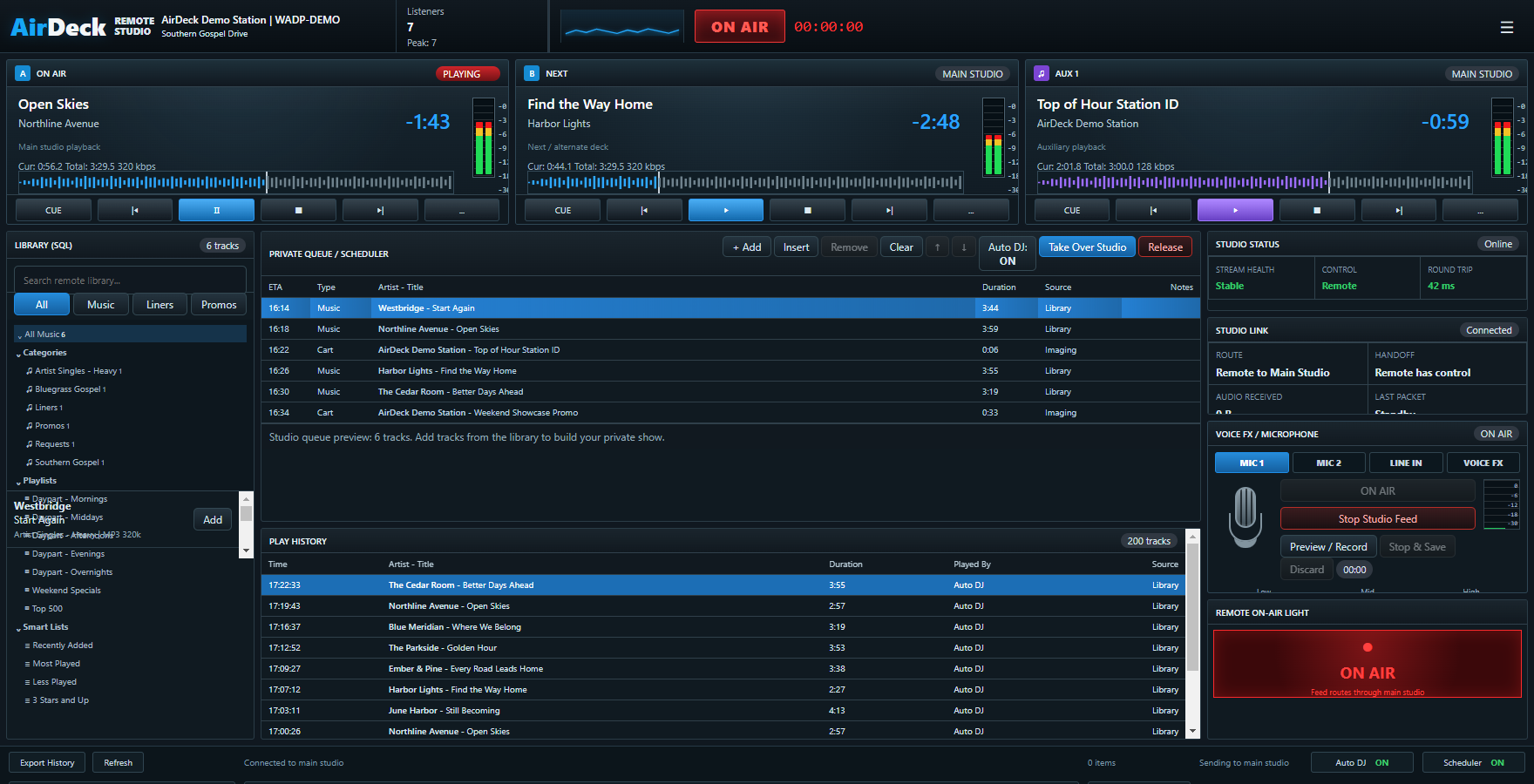
Controlled handoff
Four stages from prep to sign-off.
- 1
Sign in
The DJ enters station credentials and activates the device with a station-issued companion key.
- 2
Prepare
Build a private queue, browse permitted categories, upload material, and record voice tracks.
- 3
Soundcheck
Run latency and microphone checks while the main station remains in control.
- 4
Take air
Go live only during the scheduled window and after station-manager approval.

Secure by assignment
Per-show permissions, device activation, session timeout, login history, and manager-controlled companion keys.

Built for contribution
Microphone audio, voice tracking, queue control, cart audio, and station return monitoring without a separate stream encoder.

Know the connection
Pre-show quality checks, latency measurement, live health indicators, and a clear handoff state.